
Shift scheduling guide
Employee Availability for Scheduling
Learn to collect and manage employee availability, use a reusable form, handle changes, and check important scheduling restrictions.
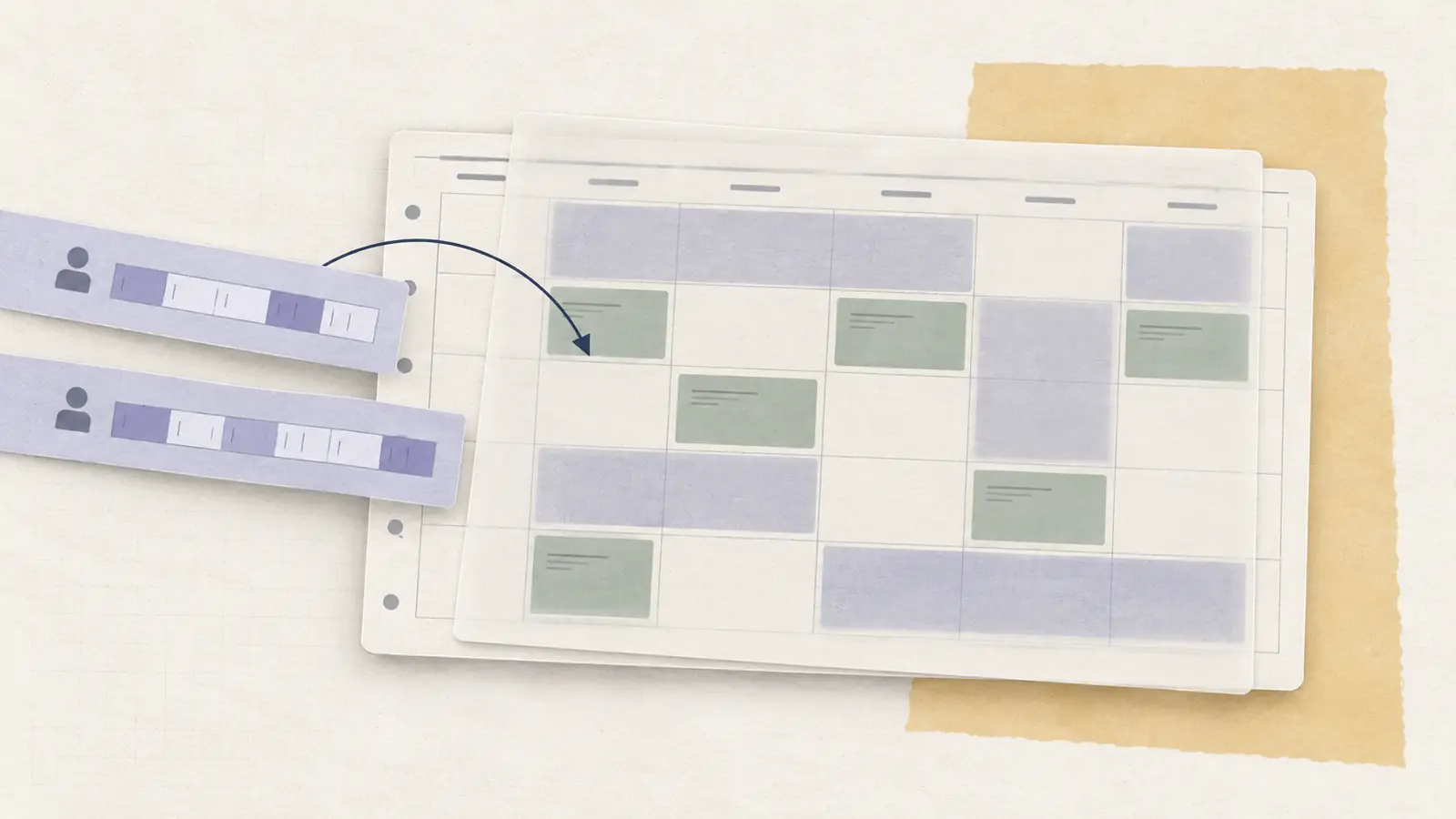
When availability lives in texts, screenshots, a paper note, and someone’s memory, the shift scheduling process is already running on unreliable data.
Availability should be collected before shifts are assigned, kept in one current place, and treated separately from preferences, time off, and the published schedule. That sounds simple, but most availability problems come from mixing those things together.
Quick answer: What is employee availability?
Employee availability is the time an employee can generally work.
A reliable availability process does five things:
- Uses one submission method.
- Separates recurring availability from temporary changes, preferences, and approved time off.
- Records when each change takes effect.
- Shows whether a submission is submitted, pending review, current, replaced, or expired.
- Keeps the final assigned schedule separate from the availability record.
A useful rule is: availability tells you when an employee can be considered for work. It does not, by itself, tell you when they will work.
Employee Availability
The easiest way to keep availability clear is to classify every scheduling input before you use it.
| Record type | What it means | Example | How to use it |
|---|---|---|---|
| Recurring availability | The employee’s normal ongoing work window | Available Mon-Fri, 8 a.m.-6 p.m. | Use as the baseline until a newer recurring record takes effect |
| Temporary change | A different availability window for a limited period | Thu available only after 1 p.m. this week | Override the recurring record only for that period |
| Preference | A requested pattern that is not a hard availability limit | Prefers morning shifts | Use as a tie-breaker where practical |
| Approved time off | A specific approved period the employee should not be scheduled | Tuesday approved off | Remove that period from scheduling consideration |
| Assigned shift | The final work assignment | Thursday, 2-8 p.m. | Treat as schedule output, not as availability |
The distinction matters because these records behave differently.
Recurring availability usually stays in place until it is replaced. A temporary change applies only for a defined period. A preference can influence an assignment without making other hours unavailable. Approved time off removes a specific period from consideration. An assigned shift is the schedule outcome, not another availability record.
When you create an employee schedule, use the current versions of those inputs before making the assignment.
A simple availability record should answer five questions:
- What type of record is this?
- What day and time does it apply to?
- When does it take effect?
- What is its current status?
- Where is the current source of truth?
If one of those answers is missing, the information can become ambiguous very quickly.
Example: availability, time off, and assigned shifts in the same week
Consider this hypothetical example for one employee.
| Day | Current scheduling input | Assigned shift |
|---|---|---|
| Monday | Recurring availability: 8 a.m.-6 p.m. | 9 a.m.-5 p.m. |
| Tuesday | Approved time off | None |
| Wednesday | Recurring availability: 8 a.m.-6 p.m. | Noon-6 p.m. |
| Thursday | Temporary change: 1 p.m.-8 p.m. | 2-8 p.m. |
| Friday | Recurring availability: 8 a.m.-6 p.m.; prefers mornings | 10 a.m.-6 p.m. |
The important point is not the exact hours. Several different scheduling inputs are visible alongside the final assignments.
Jordan’s recurring availability defines the normal working window. Approved time off removes Tuesday from consideration. A temporary Thursday change overrides the normal Thursday window for that week. The assigned shifts sit on top of those inputs. Jordan’s Friday morning preference can influence the assignment, but it does not make later hours unavailable.
That makes the schedule explainable. If someone asks why Jordan was not assigned Tuesday or why Thursday starts later, the manager can trace the answer to the current scheduling input instead of searching old messages.
Employee Availability Form
An employee availability form should collect only the information needed for scheduling.
For most teams, the useful fields are:
| Field | What to collect | Why it matters |
|---|---|---|
| Employee | Name plus role or location where relevant | Identifies which schedule and staffing pool the submission belongs to |
| Availability window | Available days, earliest start, latest end | Defines the actual time range that can be considered |
| Split windows | More than one available window on a day, if needed | Avoids forcing complex availability into one inaccurate span |
| Availability type | Recurring or temporary | Determines whether the change replaces the baseline or expires |
| Effective period | When the record starts and, for temporary changes, ends | Prevents a valid change from being applied to the wrong schedule |
| Preference | Preferred shifts or times, kept separate from restrictions | Lets managers consider preferences without treating them as hard limits |
| Submission status | Submitted, pending review, current, replaced, expired, or another clear status | Shows which record should actually be used for scheduling |
| Approved time off | Keep specific approved absences separate from recurring availability | Prevents one-off leave from changing the employee’s normal availability |
Employee availability form example
Hypothetical employee: Jordan Lee | Role: Sales Associate | Availability type: Recurring | Effective from: Next scheduling period
| Day | Available? | Earliest start | Latest end | Preference / note |
|---|---|---|---|---|
| Monday | Yes | 8 a.m. | 5 p.m. | Prefers mornings |
| Tuesday | No | |||
| Wednesday | Yes | 12 p.m. | 8 p.m. | |
| Thursday | Yes | 8 a.m. | 4 p.m. | |
| Friday | Yes | 8 a.m. | 5 p.m. | |
| Saturday | No | |||
| Sunday | No |
The form should make preferences visibly different from restrictions. "I prefer mornings" and "I cannot work after 4 p.m." are not the same scheduling instruction.
It should also ask when a change becomes effective. "I can’t work Thursdays anymore" is incomplete if the manager cannot tell whether that applies to the schedule being built now or to a later scheduling period.
Avoid asking employees to explain personal details unless your process genuinely requires that information. For ordinary availability collection, the scheduler usually needs the time window, effective period, and status, not the reason behind it. If an employee raises an accommodation issue, handle that through the appropriate accommodation process rather than asking for medical or religious details in a general availability form.
Use this same structure in a paper form, shared spreadsheet, or scheduling system.
A shared version should include:
- An individual submission form.
- A current team availability view.
- A change log showing what changed and when.
- Instructions that keep availability separate from the final schedule.
A shared spreadsheet can work well for a small team. The important part is that one person or role owns the current version and that old copies are not treated as equally valid.
Common availability failures to prevent
Most availability problems are data problems before they become scheduling problems.
Watch for these failure modes:
- Treating a preference as a hard restriction.
- Treating approved time off as permanent recurring availability.
- Keeping an old form or screenshot after a newer change was submitted.
- Accepting routine updates through several channels.
- Recording a change without an effective date.
- Letting employees assume that submitting a change made it automatically current.
- Changing availability after the schedule is published without resolving the assigned shift.
A practical test is simple: if two managers could look at the same employee and reach different conclusions about when that person is available, the process does not yet have a reliable source of truth.
INTERACTIVE TEMPLATE
Build an employee availability form
Set the hours someone can work each day and the dates it applies, then download it as a spreadsheet (CSV). Nothing you enter leaves your browser.
Availability summary
This form stores nothing on a server. Use separate records for time-off approvals, schedule assignments, protected accommodations and effective dates.
How to use the worksheet
Choose the normal work window for each day. The CSV download can be imported into a spreadsheet. These are individual availability windows, not a published employee schedule.
Employee Availability Management
Availability management is mostly about controlling the state of the information.
Use this workflow:
| Step | What happens | Control that prevents confusion |
|---|---|---|
| 1. Submit | Employee uses the designated form, sheet, or system | One channel for routine availability changes |
| 2. Classify | Mark it recurring, temporary, preference, or time off | Different record types are not treated as interchangeable |
| 3. Date | Set the effective period | Managers know which schedule the change applies to |
| 4. Review | Apply the workplace’s review or approval process | A submitted change is not assumed to be current |
| 5. Update | Replace or overlay the current source of truth | Old screenshots and forms stop competing with the current record |
| 6. Schedule | Use the current record when assigning shifts | Availability is checked before the schedule is published |
The status step is important. A submission can exist without being the current scheduling input.
For example, an employee may submit new recurring availability on Wednesday. If your workplace reviews changes before they take effect, the old availability remains current until the new submission is reviewed and its effective period begins.
That prevents a common failure: one manager schedules from the existing record while another assumes a newly submitted request already replaced it.
Temporary and permanent changes should also be stored differently.
A permanent or recurring change replaces the prior recurring pattern from its effective date onward. A temporary change needs both a start and an end point. Once it expires, the recurring availability underneath it becomes current again unless something else changed.
When availability records overlap, use this order:
- Start with the recurring availability that is current for the date.
- Apply any current temporary availability change for that date or period.
- Remove any period covered by approved time off.
- Keep preferences separate. Use them to guide a valid assignment, not to redefine when the employee is available.
- Keep any published shift separate from the availability record. If the two now conflict, resolve the assigned shift through the schedule-change process.
Before assigning a shift, the manager should be able to answer one question quickly:
What is this employee’s current availability for this scheduling period?
If answering that requires searching chat history, asking another manager, or comparing screenshots, the availability system is doing too little.
What if availability changes before the schedule is published?
If the change is current for the scheduling period you are building, update the availability record first and then build or revise the draft schedule around it.
Consider a hypothetical employee, Casey.
Casey’s recurring Thursday availability is 8 a.m. to 6 p.m. A draft schedule assigns Casey from 9 a.m. to 5 p.m. Casey then submits a temporary change saying they are only available from 1 p.m. to 6 p.m. for that Thursday, and the change becomes current before the schedule is published.
| Stage | Availability record | Schedule impact |
|---|---|---|
| Initial draft | Casey recurring Thu availability: 8 a.m.-6 p.m. | Casey assigned 9 a.m.-5 p.m. |
| New temporary change | Casey current Thu availability becomes 1-6 p.m. for that week | The 9 a.m.-5 p.m. draft no longer fits |
| Revised draft | Temporary record is applied before publication | Move or shorten Casey’s shift, assign another eligible employee, or leave the gap open |
The original shift no longer fits the current input. The manager can shorten or move Casey’s assignment if coverage allows, assign another eligible employee, or leave the gap open while finding coverage.
The key is that the availability change is applied before the schedule becomes authoritative.
What if availability changes after the schedule is published?
Do not silently treat a new availability submission as if it automatically erased an assigned shift.
Once the schedule is published, there are now two separate facts:
- The employee has submitted new availability information.
- The employee already has an assigned shift.
Your workplace needs a defined process for resolving that conflict. Depending on the situation, that may involve manager review, finding replacement coverage, an open shift, or a shift swap.
The availability record should still be updated for the correct effective period, but the published schedule should change only through the schedule-change process your team uses.
This keeps the availability record and published schedule from drifting apart.
Employee Availability Laws
There is no single federal availability rule that makes every submitted restriction legally binding in the same way.
At the federal level, the Fair Labor Standards Act does not generally regulate employee scheduling, apart from certain child-labor provisions. The U.S. Department of Labor says the FLSA itself does not require prior notice or employee consent before scheduled hours are changed, unless another agreement applies.
That does not mean availability can always be ignored.
A scheduling restriction may be connected to a legal obligation or another binding rule. Examples can include:
- A reasonable accommodation related to a disability.
- A religious accommodation.
- A collective bargaining agreement or employment agreement.
- A workplace policy that creates its own process or commitments.
- State or local predictive scheduling or fair workweek rules.
The EEOC identifies modified or part-time schedules as a possible reasonable accommodation under the ADA, depending on the circumstances and whether the accommodation would create an undue hardship. EEOC guidance also identifies flexible scheduling and voluntary shift substitutions or swaps as possible forms of religious accommodation.
Some jurisdictions also regulate schedule notice and changes directly. Oregon, for example, requires covered retail, hospitality, and food-service employers with at least 500 employees worldwide to provide written schedules at least 14 calendar days in advance and imposes additional rules around certain changes. Covered employees may also identify availability limitations or request not to work certain times or locations. Employers may not retaliate for making those requests, although the Oregon rule does not require the employer to grant them.
For a location-specific question, check the law that applies to the employee and workplace rather than relying on a general availability rule.
Is it illegal to schedule an employee outside their availability?
Not automatically.
Under the FLSA alone, employee availability is not a universal federal scheduling restriction. Whether scheduling outside an employee’s availability is unlawful depends on applicable federal, state, or local law and the reason for the restriction. Separately, it may violate a collective bargaining agreement, employment agreement, or workplace policy.
That is why a manager should not treat every availability entry as legally identical.
For ordinary scheduling, keep the operational record clear. If the employee says the restriction involves a disability, religion, another protected reason, or a legal right, route it through the appropriate HR or accommodation process rather than deciding the legal question inside the availability spreadsheet.
Our guide to predictive scheduling laws covers advance-notice and schedule-change rules in more detail.
When availability management stops scaling
Forms and spreadsheets are often enough for a small team with stable availability.
They become harder to maintain when many employees can edit availability, managers work across several locations, temporary changes happen every week, or schedules are repeatedly changed after publication.
Employee scheduling software can help by centralizing availability, approval status, schedule assignments, and later changes in the same system. The tool is useful only if the underlying rules are clear: what employees submit, what becomes current, when it takes effect, and what happens after publication.
Accommodation review: A preferred day off, an agreed availability restriction, an approved disability-related accommodation, and a religious-accommodation request have different legal and operational consequences. The EEOC discusses religious schedule adjustments and voluntary swaps; an employer must assess applicable accommodation obligations and any legally recognized undue hardship through its HR process. Do not decide that question solely from an availability form. Oregon’s state-specific guidance addresses covered workers’ requests and the limited scope of covered employers.
Final takeaway
Employee availability is useful only when the manager can tell which information is current before assigning a shift.
Choose one submission method. Separate recurring availability, temporary changes, preferences, approved time off, and assigned shifts. Give every change an effective period and a clear status. Then use that current record when the schedule is built.
That turns availability from a pile of requests into scheduling input you can actually trust.
Looking for scheduling software?
Tools can simplify availability collection
Scheduling software can centralize availability, time-off requests, and changes before a schedule is built.