
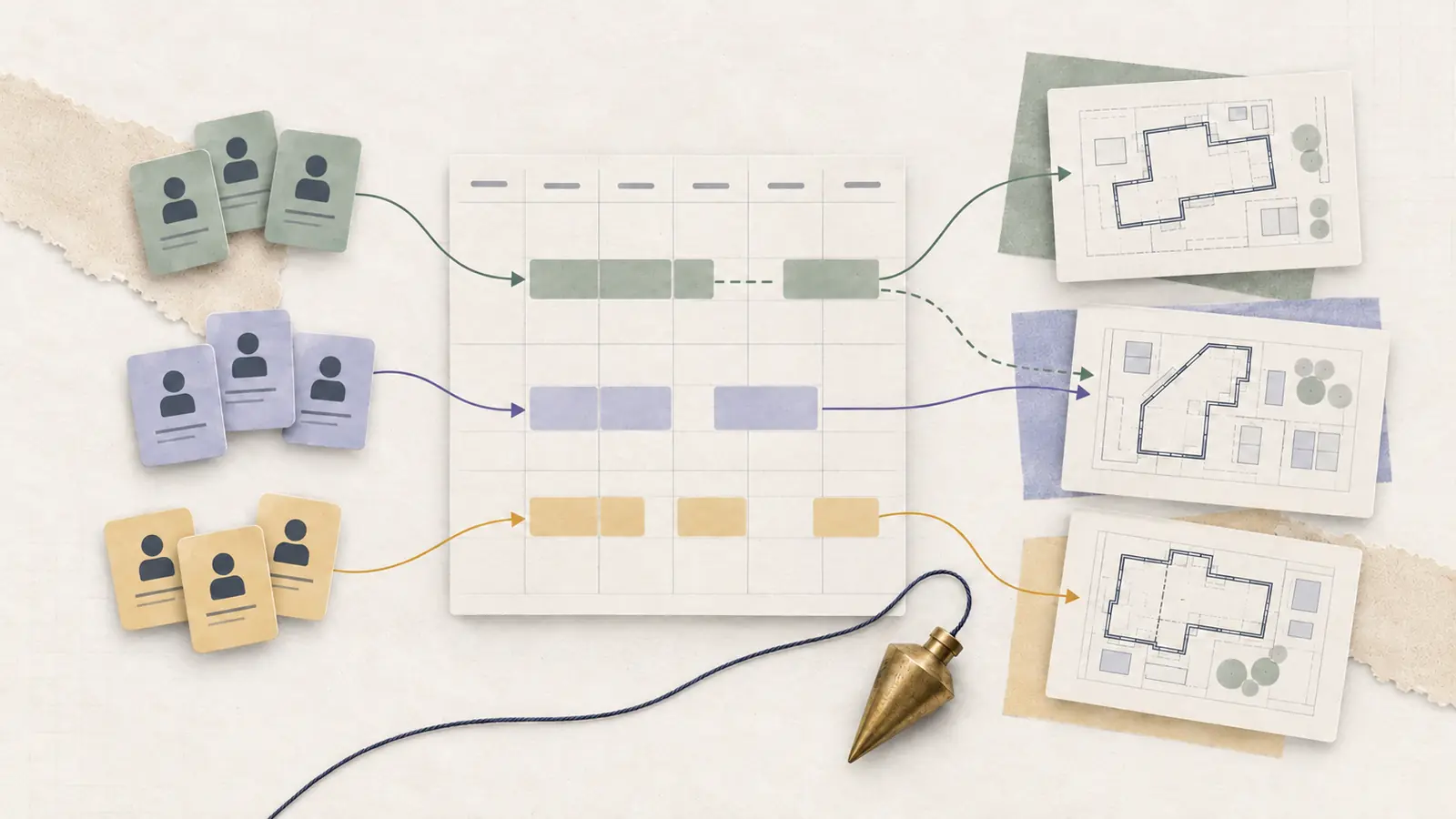
Two jobs can be ready to begin and still be impossible to staff. A supervisor assigns an equipment operator to an installation, then discovers that the same person is booked at another site during those hours. Materials are ready, yet both sites need the same qualified worker.
Construction scheduling at the workforce level means assigning people to job sites and work periods while accounting for trades, equipment access, readiness, travel, and changing conditions. A workable plan identifies the capacity each site requires and makes it clear what should change when a resource becomes unavailable.
The U.S. Bureau of Labor Statistics notes that construction laborers and helpers can have variable schedules, may travel to jobsites, and sometimes work seasonally. Coordinating across jobs is an essential part of planning their work.
Scope: This guide is specifically about assigning workers and crews across jobsites, equipment, and time windows. If you are looking for a CPM project schedule, construction sequencing, or a Gantt chart, that is a separate project-planning workflow. The two plans must still be reconciled when a critical activity moves.
What Is Construction Crew Scheduling?
Construction crew scheduling allocates employees, subcontractor crews, and skilled specialists to particular sites and work periods. A complete assignment specifies site, activity, start and end times, required role, supervisor, equipment dependencies, and current confirmation status.
It is linked to the project schedule, which tracks activities, sequencing, milestones, and deadlines. The crew schedule checks whether a qualified person is available to do the work at the right time and location. A project manager may schedule roof work for Tuesday; the crew planner must establish whether the workers, access, materials, supervisor, and appropriate equipment are ready for that Tuesday shift.
Four Inputs That Make a Construction Shift Workable
1. Site and time window. Record the address, access restrictions, allowed hours, travel expectations, and reporting point. Two sites may each need eight hours of labor, but one worker cannot be at both at the same time.
2. Trade and eligibility. Identify the skills required for the task. A general worker is not necessarily an eligible replacement for an operator or a specialist. For covered crane operations, OSHA’s operator training, certification, and evaluation standard applies according to the equipment and exceptions it specifies.
3. Work readiness. Check predecessor activities, materials, equipment, site access, and necessary authorizations. A crew sent to a site that cannot start work may need a planned alternate assignment.
4. Safety and coordination. Other trades may use the same access routes, work zones, lifts, or staging areas. OSHA recommends coordination of planning and scheduling among employers and contractors to address hazards created by overlapping activities. Name the manager responsible for resolving each shared-resource problem.
The planning unit is one qualified crew assignment against a ready work package in a defined location and interval. Every item should be checked before the crew is told to report.
Construction Scheduling Example: A Two-Site Operator Conflict
Consider a hypothetical contractor preparing two jobs for Monday. Site A requires two carpenters and one qualified equipment operator from 7 a.m. to 3 p.m. Site B needs one operator and one general laborer from 9 a.m. to 1 p.m. The sites are too far apart for a worker to cover both jobs simultaneously. The relevant equipment qualification is assumed to have been checked separately for each site.
Hypothetical crew coverage requirements
| Site | Required hours | Carpenters | Operators | Laborers | Role-hours |
|---|---|---|---|---|---|
| A | 7 a.m.–3 p.m. (8h) | 2 | 1 | 0 | (2+1) × 8 = 24 |
| B | 9 a.m.–1 p.m. (4h) | 0 | 1 | 1 | (1+1) × 4 = 8 |
The two jobs require 32 role-hours in total: 24 at Site A and 8 at Site B. But the requirement is not interchangeable headcount. Both sites need a qualified equipment operator between 9 a.m. and 1 p.m., which creates a four-hour simultaneous staffing conflict when only one eligible operator is available.
The manager can seek an additional eligible operator, change the approved sequencing so the work no longer overlaps, or revise the scope of work appropriately. Filling the operator slot with an unqualified available worker is not a valid solution. Each change must also be reviewed for impacts on site readiness and safety.
Coverage check: count qualified workers by role, site, and interval. Enough total labor hours do not guarantee that required specialists will be available when needed.
Can one specialist cover two jobs?
Enter the times for two jobs. See whether one worker can do both, allowing for overlap and the time it takes to get from one site to the other.
Your calculation
This is a planning estimate. Before you publish a real schedule, check who is available, their skills, and any rules that apply.
How this calculation works
The calculator checks whether the two jobs overlap, and whether the gap between them is long enough for your travel and setup time. Both jobs must be on the same day.
How to Build a Construction Crew Schedule
1. List work packages that are ready
Collect the jobs that can realistically proceed during the scheduling period. Record duration estimates, site address, supervisor, materials, equipment, and prerequisite tasks. Keep work that is still blocked separate from confirmed assignments.
2. Convert work into role coverage
For each activity, list the number of eligible workers by trade and the hours they are needed. Three carpenters for eight hours require 24 carpenter-hours before travel, setup, breaks, or relief. Record the qualified supervisor and any essential equipment separately.
3. Match requirements to availability
Check employee availability, approved leave, trade skills, equipment authorizations, and assignments at other jobs. Where subcontractors provide crews, confirm their commitment rather than treating an estimated headcount as guaranteed availability.
4. Allocate scarce resources first
Assign the operators, foremen, and specialists with the fewest qualified alternatives before filling flexible jobs. Reject overlapping assignments that require the same person at two sites, even if that worker’s total daily hours seem reasonable.
5. Validate transitions and site conditions
Check weather, safe work access, materials, travel time, rest and break requirements, and overlap with other trades. An assignment should not be considered final until the receiving supervisor confirms that work can proceed.
6. Publish one site-specific roster
Every worker should know where to report, at what time, to which supervisor, and for which job. Confirm how changes will be communicated, including when a job is postponed or a shift moves to a different site.
For a fuller roster-building process, use our guide to how to create an employee schedule.
Coordinate Trades Without Creating Unsafe Overlap
Different contractors may share access routes, staging areas, equipment, and work zones. Having two crews at the same address does not mean their tasks can safely occur at the same time.
Before publishing a joint-site assignment, ask whether the work areas interfere with each other, which employer controls a shared resource, whether a predecessor task must finish first, and who has authority to revise the sequence. OSHA’s multiemployer communication guidance calls for coordination of work planning and scheduling when contractors’ activities affect other workers.
If the answer requires a revised delivery window or work sequence, update the worker assignments and tell each affected supervisor. Changing a project milestone without revising crew reporting instructions can leave employees waiting at the wrong place.
Plan for Weather, Heat, and Site Delays
Outdoor work may be affected by rain, wind, cold, or heat. Some regions also have seasonal changes in construction activity, as described by the BLS construction occupation profile. Weather-related schedule changes should account for whether the specific task can proceed safely.
The OSHA heat-exposure guidance advises employers to consider heat hazards, workload, acclimatization, rest opportunities, and access to fluids and a cooler environment. Adjusting start times, reducing exertion, shortening work periods, or adding appropriate breaks may be necessary for particular conditions. A different start time alone is not a complete heat-safety plan.
A weather-change process should specify who makes the decision, when employees will hear, what alternate tasks are ready, and which shared workers or equipment are being moved. Recheck the other job’s staffing before announcing a reassignment.
Include Travel and Actual Hours
Moving crews between sites requires time. A shift ending at Site A at 2 p.m. cannot support a 2 p.m. start at Site B when travel takes 40 minutes. Record any necessary mobilization, unloading, and setup time.
Travel may also count as paid time. The U.S. Department of Labor’s Fact Sheet #22 on FLSA hours worked distinguishes ordinary commuting from travel between jobsites during the workday, which generally counts as hours worked. Apply the actual circumstances and relevant federal, state, or local rules, and record the time worked rather than relying only on the planned roster.
Handle Call-Outs and Construction Scheduling Conflicts
When a worker calls out, identify the exact capacity that disappears. Is the missing person qualified for a specialized task? Can another team member take over, or does the absence remove the only available site lead or authorized operator?
An employee scheduling conflict may involve overlapping site assignments, insufficient travel time, an unavailable specialist, or a work package scheduled before its prerequisites.
A reliable change process has five steps:
• Identify the missing role, site, and hours.
• Check potential replacements against training, equipment eligibility, site access, availability, and existing assignments.
• Assess consequences for other jobs and supervisors.
• Approve the revised assignment and notify affected employees and site leads.
• Record whether the cause was a one-time absence, a recurring shortage, or an unrealistic duration estimate.
Do not treat a replacement as confirmed until the receiving site’s requirements have been rechecked. An employee might be able to work additional hours but unable to carry out the particular task or reach the second site in time.
Construction Crew Scheduling Checklist
Use this before the next day’s crews report:
• Work readiness: Materials, permits when needed, access, and preceding activities are ready.
• Crew coverage: Every task has the number of eligible workers and supervisors it requires.
• Shared resources: Operators, vehicles, equipment, and leads have no conflicting assignments.
• Safety coordination: Site hazards, contractor overlap, and required briefings are addressed.
• Timing: Start and end times, breaks, site transfers, and travel are realistic.
• Communication: Crews know the current site, task, supervisor, and change procedure.
• Contingency: A manager owns the response to a weather delay, absence, or unsafe condition.
After the shift, compare actual assignments with the schedule. Note idle time caused by missing materials, staffing gaps, site access, or trade sequencing. Use those observations to improve the next week.
When Construction Scheduling Software Helps
A company working on one jobsite with a stable team may manage assignments in a shared calendar. Multiple projects, shared equipment, changing subcontractor capacity, or frequent shifts between locations can make the roster harder to maintain accurately.
Buyers considering tools can compare employee scheduling software for staff assignments, location tracking, qualification visibility, and change notifications. Teams that move between job sites should confirm that the product supports crew-level assignments. Software does not validate whether a worksite is safe or ready for a crew.
Construction Scheduling FAQs
How do you schedule construction crews across multiple sites?
List each site’s ready tasks and role requirements. Allocate employees with scarce qualifications first, then check the complete day for overlaps, travel, and supervision. Publish a site-specific assignment that each worker and manager can access.
How is crew scheduling different from a construction project schedule?
Project scheduling organizes work activities and dependencies. Crew scheduling assigns people to execute those activities. Both need updating when a delayed trade, missing specialist, or changed site condition affects the plan.
What if a qualified equipment operator calls out?
Confirm which work requires that role. Find another eligible operator if available, or change the plan after reviewing project, site, and safety dependencies. Do not substitute a worker who lacks the necessary qualification.
How should construction managers handle weather delays?
Set a go/no-go decision procedure, check the actual conditions, and reschedule or reassign only work that can proceed safely. Tell crews where to report and update shared resources on every affected site.
Equipment qualification scope: The cited OSHA crane-operator provision concerns equipment and circumstances covered by that standard. It is not a general licensing rule for every piece of construction equipment. Determine which job and machine standards apply, verify the operator’s actual authorization, and consult the site safety lead before adjusting a restricted assignment.
The Bottom Line
A usable construction crew schedule starts with ready work, identifies the trade and equipment capacity it needs, and assigns qualified people to realistic times and locations. Validate both sites when sharing a resource and confirm the revised plan with the affected supervisors. That prevents a small staffing change from creating a second problem elsewhere.
Sources and Further Reading
U.S. Bureau of Labor Statistics: Construction Laborers and Helpers
OSHA: Communication and Coordination for Host Employers and Contractors
OSHA: Crane Operator Training, Certification, and Evaluation
OSHA: Heat Exposure and Prevention
U.S. Department of Labor: Fact Sheet #22, Hours Worked