
Many employee scheduling software products offer a free trial. This article focuses on plans you can keep using at no cost.
If you are trying to schedule a team without adding another monthly bill, the real question is what the free tier can handle before its limits start creating extra work. Employee caps, location limits, missing shift-change workflows, short planning horizons, and paid-only integrations can make a $0 plan much less useful than it first appears.
Our research considered 34 products and ranked six whose ongoing free scheduling plans satisfy our eligibility and evidence requirements. ZoomShift remains unranked because its official sources conflict about free access after the trial.
What counts as free employee scheduling software?
For this comparison, “free” means a team can continue using employee scheduling functionality without a mandatory paid upgrade after a trial. We exclude products whose ongoing-free status is not reliably established.
Free trials and $0 offers with finite lifetime allowances are excluded.
We also excluded tools designed mainly for appointment booking, project management, or generic calendars because they do not provide the employee shift scheduling workflow covered here.
Free plans usually come with restrictions. The most important ones are employee limits, location limits, how far ahead you can schedule, employee availability and shift-change workflows, mobile access, integrations, and which features immediately trigger a paid upgrade.
How we evaluated these free scheduling apps
We rank these tools by how useful the ongoing free plan is for a real team.
We checked free-plan claims against vendor pricing pages, help centers, and product documentation, and assessed scheduling-relevant reviews on G2, Capterra, and app stores where available. Products with unresolved free-plan eligibility are excluded from the ranked comparison.
We do not conduct hands-on software testing. Screenshots are vendor-provided illustrations or vendor-site captures, not evidence that our team operated the software or that every pictured feature is included in a free plan.
The scoring framework gives 70% of the weight to the free-plan experience itself. We looked at:
- Core free scheduling utility
- Employee availability, time off, open shifts, covers, and swaps included for free
- Employee and location limits
- Mobile schedule access and notifications
- Time tracking and integrations included at $0
- How quickly normal team growth or workflow needs force an upgrade
The remaining 30% covers usability, reliability, support, product transparency, and value at $0.
A product could only rank if it offered a genuine ongoing free plan, let managers create and publish employee shifts, gave employees digital access to their schedule, and had enough current evidence to evaluate the important criteria fairly. Where a specific feature is not clearly assigned to the free tier, we mark it as unverified rather than assuming that it is available.
For the full site-wide process, see how we review software. Our scores measure usefulness of the ongoing free plan, not the vendor’s paid platform overall.
The 6 best free employee scheduling apps

Connecteam
Best for: Feature-rich free scheduling for teams of 10 or fewer
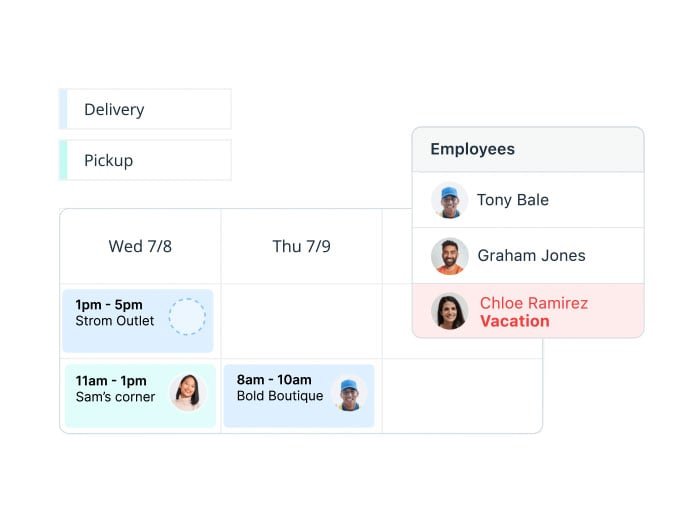
- Scheduling for up to 10 users
- Open shifts and shift changes
- Employee mobile schedule access
- Included Time Clock
- Small Business Plan tools
Best when 10 or fewer users need scheduling, shift changes and a time clock at no charge.
Pros
- Substantial free scheduling features
- Employee-led shift changes included
- Time clock available at no cost
Cons
- Full plan limited to 10 users
- Larger teams face more restrictive free plans
Connecteam ranks first because its Small Business Plan gives very small teams access to an unusually deep set of scheduling and workforce tools without paying. The plan is free for life for companies with up to 10 users and, according to Connecteam’s current plan-specific documentation, includes access to the platform’s full feature set subject to Small Business Plan account limits.
Our take
For teams of 10 or fewer, the free plan goes beyond basic schedule publishing. It includes employee scheduling, open shifts, shift replacement workflows, mobile access, time tracking, and the broader Operations tools available in the platform.
That matters because many competing free plans remove employee-led schedule changes or time tracking even when basic scheduling remains free.
Included on the free plan
- Shift creation and publishing
- Open shifts
- Shift offers and swaps
- Employee mobile schedule access
- One Job Scheduler
- One Time Clock
- Broader Small Business Plan feature access for up to 10 users
What users say
Current scheduling-specific reviews are generally positive about setup and day-to-day scheduling. Reviewers commonly describe the scheduler and mobile experience as straightforward, although some recent reviews mention occasional navigation, notification, or app-speed friction.
Employee schedule changes
For teams of up to 10, Connecteam’s Small Business Plan has extensive documented employee self-service functionality. Employees can access schedules, pick up open work, offer shifts, and use shift replacement workflows without forcing a paid scheduling upgrade while the account remains within the plan’s small-team limits.
Integrations and time tracking
Time tracking is available within the free Small Business Plan. Connecteam also documents payroll integrations across its platform. For this ranking, we only give credit where the special Small Business Plan documentation supports access for the free account.
Limits and upgrade costs
The important limit is team size.
The full Small Business Plan stops at 10 users. Companies with 11 to 30 users can still use a cost-free Limited Operations plan, but this permits only one Job Scheduler with up to five jobs and more restricted scheduling tools. Teams requiring the full Small Business Plan’s scheduling depth after exceeding 10 users should compare paid plans.
Paid Operations plans currently start at $29/month on annual billing for the first 30 users, or $35 on monthly billing.
Credit card: Not required to start the free account.
User ratings
G2: 4.6/5 from 3,506 reviews
Capterra: 4.6/5 from 5,319 reviews
Ratings and counts checked October 25, 2026.

Sling
Best for: Teams up to 30 that need shift trading
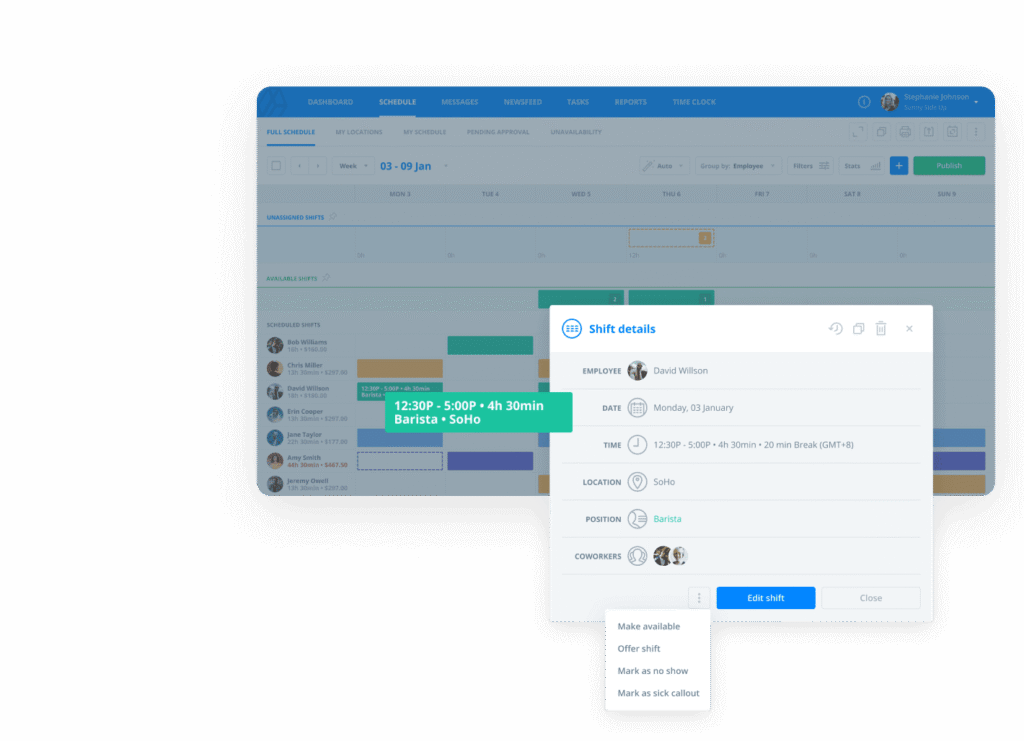
- Up to 30 users on Free
- Available shifts and shift offers
- Time-off requests
- Team messaging
- Employee mobile schedule
The most generous verified free user limit here, with employee shift offers but no free time clock.
Pros
- 30-user free allowance
- Shift offers and communications included
Cons
- Free plan excludes time tracking
- Dedicated one-step swaps are paid
Sling offers the highest published free-plan user cap among the six ranked products. Its free plan supports up to 30 users and includes scheduling, time-off requests, available shifts, long-term scheduling, mobile apps, messaging, and employee-led shift exchanges.
Our take
The main advantage is how long a team can keep using it without hitting a small employee cap. Thirty users is much more generous than the free limits on Homebase, 7shifts, Findmyshift, and Shiftbase.
Sling also keeps useful post-publication workflows in the free product. Employees can make shifts available, offer them to coworkers, and complete a two-way trade through reciprocal offers. Individual shift templates are listed as free; reusable whole-week schedule templates appear on Premium.
Included on the free plan
- Shift scheduling
- Long-term scheduling
- Available shifts
- Time-off requests
- Employee schedule access
- News and private messaging
- Mobile apps
- Shift offers and reciprocal shift trading
What users say
Current reviews are broadly positive about setup and normal schedule management. Several reviewers describe the product as easy for both managers and employees to learn.
Reliability is the bigger concern. Recent reviews include repeated complaints about delayed or missed notifications, slow mobile loading, chat issues, and calendar-sync friction.
Employee schedule changes
Sling is one of the stronger free options for employee-led schedule changes. The free plan supports available shifts, time-off requests, and shift offers. A true two-way exchange is possible through reciprocal offers.
The dedicated one-step Swap feature is reserved for Premium and Business.
Integrations and time tracking
Free does not include the mobile time clock, labor-cost tools, or calendar sync. These start on Premium.
The integration picture is also more limited on Free than on products such as 7shifts or Homebase.
Limits and upgrade costs
The free account supports up to 30 users. Adding a 31st user requires removing somebody or upgrading.
Premium currently costs $2/user/month on monthly billing or $1.70/user/month on annual billing. It adds mobile time tracking, labor-cost and overtime tools, calendar sync, and the dedicated Swap workflow.
Credit card: Not required to start.
User ratings
G2: 4.4/5 from 88 reviews
Capterra: 4.6/5 from 213 reviews
Ratings and counts checked October 25, 2026.

7shifts
Best for: Small single-location restaurants

- 15 employees at one location
- Restaurant employee schedules
- Employee availability
- Time-off requests
- Mobile schedule access
A practical restaurant-specific free rota for one location; free shift swaps are not confirmed.
Pros
- Restaurant scheduling focus
- Employee availability and time off
- Selected POS integrations
Cons
- One location and 15-employee cap
- Free shift-change and time-clock entitlements unclear
7shifts ranks highest among the restaurant-focused products in this free-plan comparison. Its Comp plan is free for one location and up to 15 employees. The documented essentials include scheduling, availability, time-off requests and employee mobile access. We could not confirm that shift swaps are included in Comp.
Our take
The free tier is designed specifically for restaurant scheduling. It gives a small restaurant enough core scheduling and employee self-service to run a basic rota without immediately paying for a broader labor-management package.
Included on the free plan
- Basic employee scheduling
- Availability management
- Time-off requests
- Employee mobile access
- Basic schedule publishing
- One-way announcements
- Supported POS integrations
What users say
Restaurant-focused reviews often praise schedule distribution and drag-and-drop scheduling. Reviewers also discuss shift pickup and trading, but their experiences may involve paid plans.
The main reliability caveat is mobile execution. Some current reviews mention slow loading, logouts, crashes, or interface clutter.
Employee schedule changes
Employees can view schedules and submit availability and time-off requests through the app on Comp. The app can also handle shift trades on supported plans, but the current plan comparison does not establish that this is included at $0.
7shifts documents Shift Pool and trade workflows in its broader platform. We did not count these as Comp features because we could not verify the plan entitlement.
Integrations and time tracking
Comp accounts can use supported POS integrations. More advanced time-card integration and payroll enforcement features sit on paid tiers.
The Comp time-clock entitlement is unclear. A current 7shifts scheduling page advertises basic time clocking in its free plan, while the 7punches setup guide describes time clocking as included on paid plans. We therefore did not give the Comp tier credit for a confirmed free time clock. Verify this before relying on 7shifts for attendance tracking.
Limits and upgrade costs
Comp is limited to one location and up to 15 employees. A restaurant that grows beyond either limit will need a paid plan.
Essentials currently costs $44.99/month per location, or $39.99/month on annual billing, for up to 30 employees.
Credit card: Not required to start.
User ratings
G2: 4.5/5 from 130 reviews
Capterra: 4.7/5 from 1,212 reviews
Ratings and counts checked October 25, 2026.

Findmyshift
Best for: Very small teams needing a simple rota and time clock
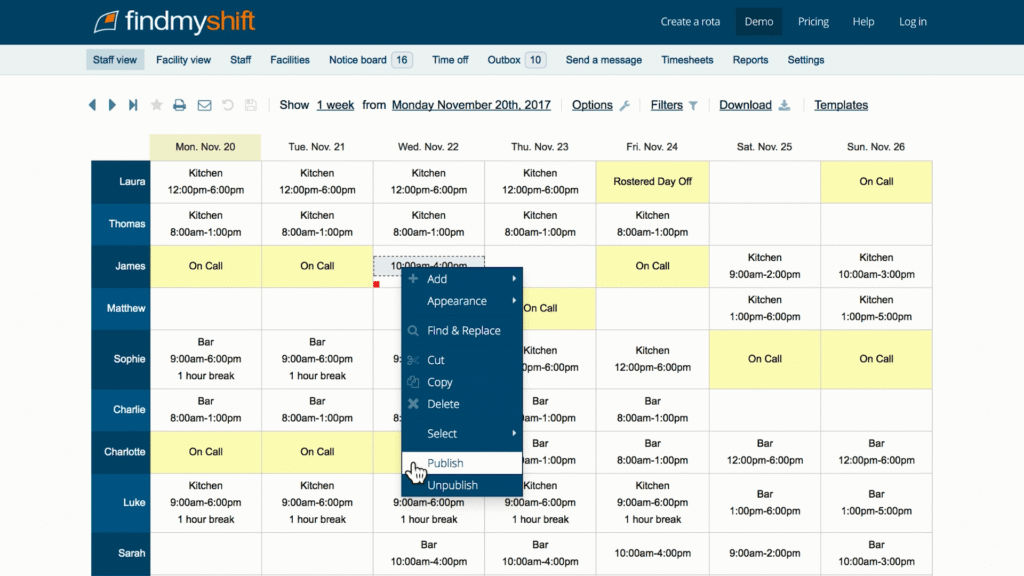
- Five workers plus a manager
- One-week planning horizon
- Shift requests and swaps
- Included time clock
- Basic timesheets
Free scheduling plus a time clock for a truly tiny team, with only one week of advance planning.
Pros
- Free time clock and timesheets
- Employee request workflows
Cons
- Only five team members
- One-week forward planning
Findmyshift is a good fit when the team is genuinely tiny. Its free plan supports up to five team members and one manager, and includes scheduling, timesheets, time clocking, employee notifications, and request or cancellation workflows.
Our take
The free product includes more operational functionality than its five-person cap might suggest. Time clocking, timesheets, employee schedule access, and shift-change workflows are all available without paying.
Its limits are also unusually clear.
Included on the free plan
- Employee scheduling
- One week of forward scheduling
- Employee schedule access
- Shift requests and cancellations
- Shift-swap workflows
- Timesheets
- Time clock
- Notifications
- Support
What users say
Current reviews generally describe rota creation and schedule edits as straightforward. Copy-and-paste workflows are commonly praised on the broader product.
Some managers report fiddly setup or mobile-editing limitations, so the product is stronger as a simple rota tool than as a mobile-first manager experience.
Employee schedule changes
Employees can access schedules, receive reminders, request shifts, request cancellations, and use swap workflows when managers enable them.
That gives Findmyshift more free self-service depth than Homebase or ZoomShift, even though the team-size limit is much smaller.
Integrations and time tracking
Timesheets and time clocking are included for free.
Findmyshift offers API and other integration options elsewhere in its product range, but those higher-tier capabilities do not earn free-plan credit here.
Limits and upgrade costs
The five-member cap applies to each team. Findmyshift permits up to 10 free teams and five facilities, although each team remains subject to that cap. Free accounts also have just one week of forward planning and one week of history, with no shift templates. Splitting a larger workforce across teams does not necessarily provide the unified schedule a manager needs.
Starter costs $27 per team/month on monthly billing, or $24 per team/month with annual billing, for up to 20 team members. Pricing is quoted in USD on Findmyshift’s current official pricing page.
Credit card: Not required for the free plan.
User ratings
G2: 4.7/5 from 32 reviews
Capterra: 4.6/5 from 1,204 reviews
Ratings and counts checked October 25, 2026.

Homebase
Best for: Single-location US teams needing basic scheduling and time tracking
- Ten staff at one location
- Basic shift schedules
- Included time clock
- Mobile schedule access
Straightforward free scheduling and basic time tracking for one US location with up to 10 staff.
Pros
- Free basic time tracking
- Simple scheduling workflow
Cons
- Advanced employee shift changes are paid
- 10-employee and one-location cap
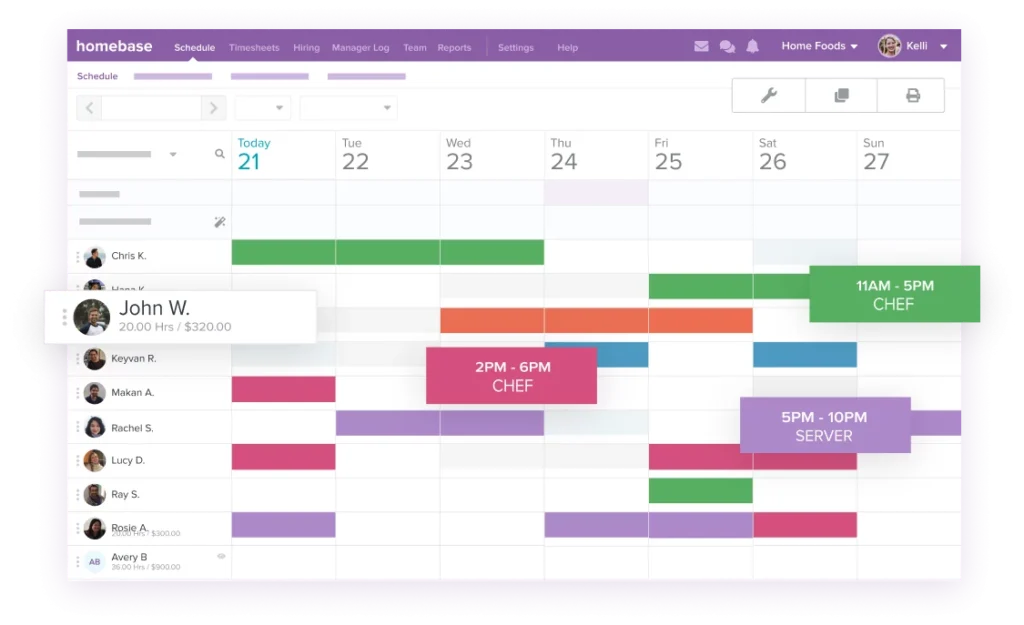
Homebase Basic is a practical free entry point for a very small US business. It supports one location and up to 10 employees and includes basic scheduling, employee mobile access, basic time tracking, and POS integration.
Our take
Homebase combines basic scheduling with time tracking and a familiar small-business ecosystem. The product is also generally easy to learn according to current manager reviews.
The main catch is plan boundaries. Advanced Scheduling contains several workflows that many teams consider basic, so Basic users can hit paid features quickly.
Included on the free plan
- Weekly schedule creation and publishing
- Employee mobile schedule access
- Basic time tracking
- POS integration
- One location
- Up to 10 employees
What users say
Current reviews regularly describe basic scheduling as easy to learn and manage. Managers also like having scheduling, hours, and communication in one place.
Some reviewers mention syncing delays, refresh issues, or minor app bugs.
Employee schedule changes
Basic is limited here. Current plan-specific documentation places availability and time-off management, employee trade and cover workflows, and open-shift functionality under Advanced Scheduling.
That makes Homebase less useful as a long-term free scheduler if employee-led changes are part of the normal workflow.
Integrations and time tracking
Basic includes time tracking and a POS integration path, which is useful for small businesses already using a compatible point-of-sale system.
Broader integration and API depth varies by paid tier.
Limits and upgrade costs
More than 10 employees or more than one location requires a paid plan.
Essentials currently costs $30/month per location on monthly billing or $24/month on annual billing. It adds Advanced Scheduling.
Credit card: Not required to start.
One thing to watch: Homebase’s broader free-scheduling marketing page discusses capabilities such as auto-scheduling and employee scheduling-change workflows in a free-software context. The current plan-specific pricing matrix places several of those functions on paid tiers. For this comparison, the plan-specific pricing and help documentation control.
User ratings
G2: 4.6/5 from 607 reviews
Capterra: 4.6/5 from 1,157 reviews
Ratings and counts checked October 25, 2026.
Shiftbase
Best for: Small teams comfortable with a Europe-centered scheduler
- Up to 15 employees
- One department, five teams
- Manager-led shift scheduling
- Manual time entry
- Mobile schedule access
Basic free manager-led rostering for up to 15 people; employee swaps and open shifts cost extra.
Pros
- 15-employee free limit
- Manual hours included
Cons
- Employee change workflows are paid
- European billing and support context
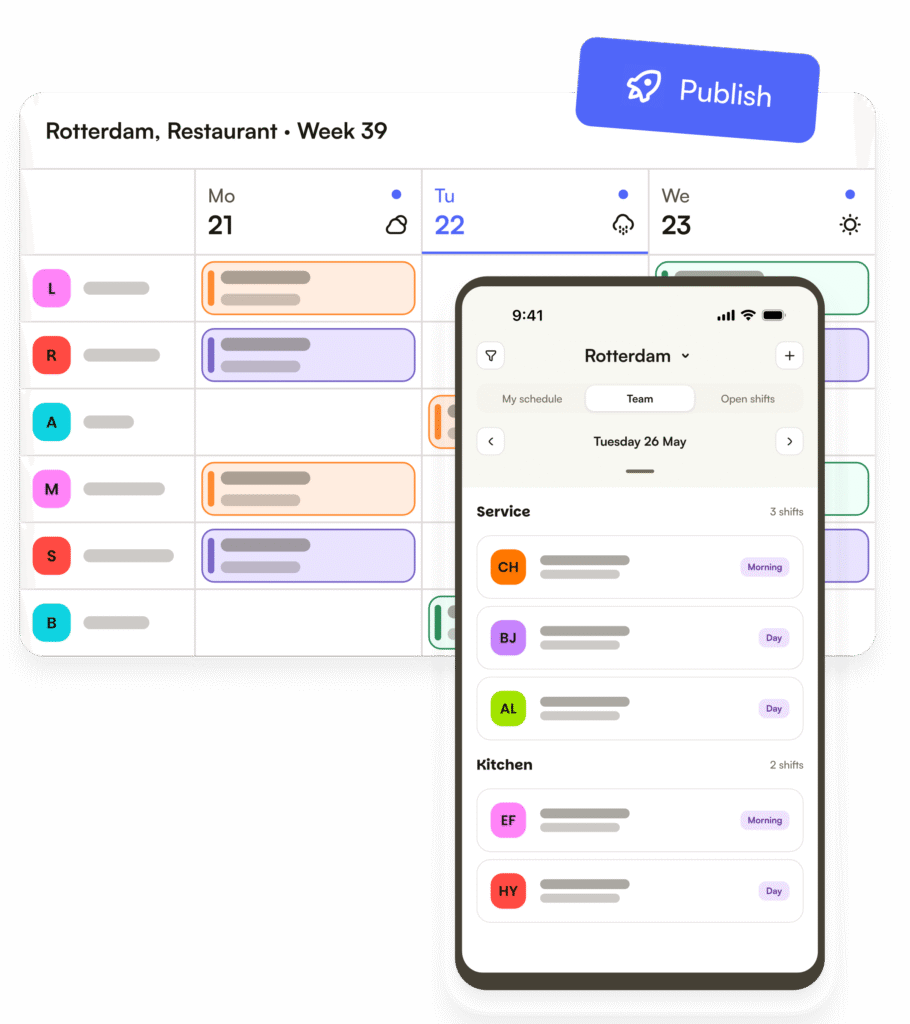
Shiftbase’s free tier covers the fundamentals for a small team: schedule creation, conflict handling, mobile access, and manual time tracking for up to 15 employees.
Our take
The free plan gives more employee capacity than Homebase or Findmyshift and includes both mobile access and basic time tracking.
Its main weakness is what happens after the schedule is published. Availability, open shifts, and shift exchange begin on the paid Basic plan.
Included on the free plan
- Basic employee scheduling
- Conflict handling
- Mobile apps
- Manual time tracking
- Up to 15 employees
- One department
- Five teams
What users say
Manager-side review evidence is broadly positive about roster creation, schedule clarity, and implementation. Several reviewers describe moving from spreadsheets to Shiftbase as a meaningful improvement.
The evidence has an important caveat: much of the manager-side scheduling sample comes from a concentrated vendor-referred and incentivized 2025 review wave.
Employee schedule changes
Free employees can access schedules on mobile, but availability, shift exchange, and open shifts require Basic.
That makes the free plan more suitable for manager-led scheduling than for teams that expect employees to resolve coverage changes themselves.
Integrations and time tracking
Manual time tracking is included for free.
Broader API and integration access sits outside the basic Free experience.
Limits and upgrade costs
Free is capped at 15 employees, one department, and five teams.
You will also need a paid plan if you want availability management, open shifts, or employee shift exchange. Shiftbase’s pricing interface may display USD, but the vendor says invoices are issued in euros. Paid packaging is seat-based, so check the current plan inclusions and per-employee pricing before purchase.
Credit card: Not required for the free plan or the 14-day trial.
Another consideration for US teams is market fit. Shiftbase currently describes itself as a European product, invoices in euros, and says businesses operating in the United States should consider Deputy instead. Its listed support hours also run on Central European Time. US buyers can still access the product, but it is a weaker geographic fit than the other ranked options.
User ratings
Capterra: 4.4/5 from 216 reviews
Google Play: 4.0/5 from 975 reviews (September 2026 snapshot)
Ratings and counts checked October 25, 2026.
Other free schedulers we considered
ZoomShift advertises its Essentials plan at $0, but its official pricing FAQ says a paid subscription is required after the trial. We could not verify whether a new account can continue scheduling indefinitely at no cost, so ZoomShift is not included in this ranking. Its free-plan eligibility requires clarification from the vendor.
We also considered Jibble, Square Shifts, Zoho Shifts and SocialSchedules, but the available scheduling-specific manager review evidence did not support equally confident comparative scoring. These products are not necessarily poorer tools.
Compare free-plan features
On mobile, swipe across the comparison to see every column.
| Software | Free capacity and horizon | Availability / time off | Open shifts / swaps | Time tracking |
|---|---|---|---|---|
| Connecteam | 10 users: full Small Business; one scheduler. 11-30: Limited tier | Included on Small Business | Open shifts, shift offers and swaps included on Small Business | Included: one time clock |
| Sling | 30 users; long-term scheduling | Time-off requests included; unavailability controls paid | Available shifts and offers included; one-step Swap paid | Paid |
| 7shifts | 15 employees; one location | Included | Shift trades, swaps and open shifts are not confirmed for Comp | Not confirmed for Comp |
| Findmyshift | 5 per team + 1 manager; up to 10 teams/5 facilities; 1 week ahead | Shift requests supported; recurring availability not verified | Request, cancellation and swap workflows included | Included |
| Homebase | 10 employees; one location | Paid | Trade, cover and open-shift tools paid | Basic clock included |
| Shiftbase | 15 employees; one department; five teams | Paid | Open shifts and exchanges paid | Manual time entries included |
The table shows features documented for ongoing free tiers, not paid trials. “Not verified” means we could not confirm the free-plan entitlement. Free-plan terms rechecked October 25, 2026. The source dates for user-review evidence are stated separately.
How to choose a free scheduling app
A free plan is useful only if its limits match the way your team actually schedules work.
Team size, locations, and planning
Start with headcount, then look closely at the workflows included. A free plan for 30 employees can be much more sustainable than one capped at five, yet it may still be a poor fit if basic workflows are paywalled.
Location limits
A one-location cap matters as soon as staff work across multiple stores, sites, departments, or branches. Check whether employees can belong to more than one location and whether moving between locations forces a paid upgrade.
Schedule creation and publishing
At minimum, managers should be able to create, assign, and publish shifts efficiently. Look for planning-horizon limits, recurring shifts, templates, copying, and conflict warnings. A free scheduler that only lets you plan one or two weeks ahead may create unnecessary admin work.
Employee self-service and shift changes
Employees should be able to see the current schedule without relying on screenshots, printed rotas, or manager messages.
Availability, open shifts, and shift swaps
This is where free plans differ most.
If your team frequently changes availability, requests time off, picks up open shifts, or swaps work, check exactly which of those workflows are included. A scheduler can have a generous headcount cap and still force managers to coordinate every schedule change manually.
For more on these workflows, see our guides to employee availability, open shifts, and shift swaps.
Mobile access and notifications
Mobile access is especially important for hourly teams that do not sit at a desk. Check whether schedule changes generate reliable notifications and whether the mobile app supports the same employee workflows you expect people to use.
Time tracking, integrations, and upgrades
A free time clock can materially increase the value of a free scheduler. POS, payroll, calendar, or HR integrations can also reduce manual work, but these are often among the first capabilities vendors move to paid tiers.
Support
A free plan with weak support may still be acceptable for a simple five-person rota. It becomes riskier when the software is tied to time tracking, shift coverage, or daily operational communication.
Upgrade triggers
Ask yourself: “Is this free today, and how long will it stay practical?”
Ask what normal event will force payment. Common triggers include hiring employee number 11 or 31, opening a second location, needing schedules more than one or two weeks ahead, adding employee availability, using open shifts, tracking time, or connecting payroll.
Frequently asked questions
Can I Use Excel Instead of Free Employee Scheduling Software?
Yes. Excel can be enough for a very small team with a simple, stable schedule.
It becomes harder to manage when availability changes frequently, employees swap shifts, several people edit the schedule, or managers need automatic notifications and a single current version. Spreadsheet-based schedules also leave more of the work around scheduling conflicts, missed coverage, and updates to manual coordination.
If the schedule is simple and rarely changes, a spreadsheet may be all you need. If managers spend a lot of time chasing updates, a free scheduling app can remove that work even before you need a paid plan.
Is There Free Employee Scheduling Software for Small Businesses?
Yes. Several products offer ongoing free scheduling plans that remain usable after signup.
The right option depends on the size and shape of the business. A five-person team may be able to stay on Findmyshift indefinitely; a 20-person team would outgrow it immediately. Restaurants may get more value from 7shifts. Teams of 10 or fewer that need deeper scheduling and operations tools may get more from Connecteam.
Pay attention to employee caps, locations, planning horizons, employee self-service, time tracking, and integrations. If those limits create ongoing manual work, scheduling software for small businesses with a paid plan may be the more economical choice even if the monthly price is higher than $0.
A free plan works well when it still solves the scheduling problem you have. If you can stay inside the employee and location limits and the free tier includes the availability, coverage, and communication workflows your team actually uses, there may be no reason to pay. Once managers start working around missing features or the next hire triggers an upgrade, it is time to compare the paid options.